Showing posts with label 2D Design Tools. Show all posts

Tuesday

2D Design Tools - Features


Features

·         Exhaustive geometrical constructions including circles, arcs, lines, tangents, normals, etc.
·         Comprehensive drawing aids, user-defined grids and attach (snap).
·         Powerful tools such as fully tuneable bezier curve drawing, text flow along a path, etc.
·         Comprehensive text facilities , even exceeding those in many sign-writing packages.
·         Single line fonts and an in-built font editor/designer.
·         Bitmap to vector conversion.
·         Clip path tools, essential for creating professional high end graphic images.
·         Comprehensive graduated, texture and pattern fill routines.
·         Comprehensive transformation tools including move, mirror, size, array and distort.
·         Automatic or manual dimensioning. Work to pre-set or user-defined scales.
·         Contour feature to off-set lines. Invaluable for creating cutter-compensated tool paths or tracing.
·         Powerful editing and delete features, unlimited user-named drawing layers. Cut and paste to and from many other packages, including Word.
·         Import/Export BMP, DXF, EMF, HPGL, TIFF, JPEG, PNG, WMF, plus legacy Acorn formats.


2D Design Tools - Basic packaging graphics

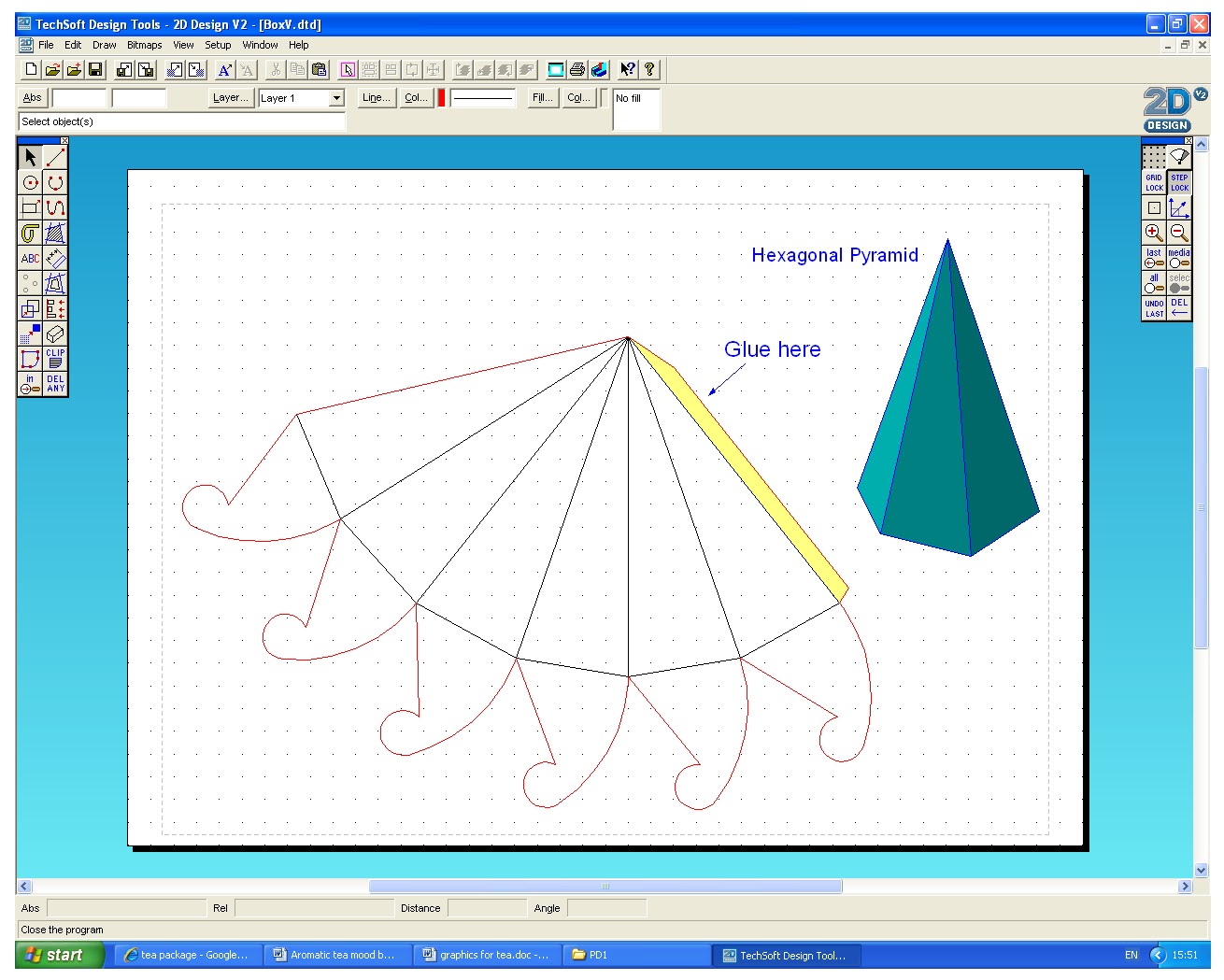
 Producing nets - development for packaging


Basic packaging graphics - 


2D Design is very functional for combining vector drawing with text, bitmaps, photographs or clip-art to create graphic products. Other editing tools allow any image to be clipped to size and shape, and bitmap images can be converted into a vector drawing, font can also be customised and colour, texture or pattern, etc can be added. 

The end uses for designing graphics/packaging on 2D Design include packaging products, posters, point-of-sale displays, greeting cards, etc. In addition, 2D Design can also incorporate imported photographs, scanned sketches and research material alongside CAD drawings. 

In schools, this is often seen in the form of net making, for example. It can also be used alongside GCSE Graphics or Food Technology.

2D Design Tools - Machine drawing for laser cutter or CNC milling/engraving machine

This is for a novelty calculator project. The designs here will be cut using the laser cutter.


This design was for my pewter-cast part in Advanced Manufacturing. The output device used for this is the CNC milling machine. Moulds can be created from these designs using material such as MDF.  

This is the final pewter-made part, inside the MDF mould that was maunfactured from a design drawn on 2D Design.


Machine drawing for laser cutter or CNC milling/engraving machine -


Using 2D Design allows the page to be set-up depending on paper source and also to suit the machine for the intended use. This means that the design being created will ‘fit’ and the user can change the positioning of the job for more accuracy on the media/work area. This is one of the links between 2D Design drawings and the output device. Furthermore, features such as registration marks can be added for such cutting and print machines. 2D Design works with simple output dialog boxes, which ease the process of manufacture.

The program is extremely useful when ‘designing for manufacture purposes’. As mentioned, the necessary tool requirements can also be set efficiently. For the purpose of ‘Advanced Manufacturing Module Task 2’, I have used 2D Design to design/draw the shapes/designs for parts of my vacuum formed part and pewter-made part. Both of these techniques allowed me to easily create the accurate shape I wanted, and could be used for a CNC output, as I have cut them using a CNC milling machine.

2D Design Tools - Engineering drawing


Here is an orthographic drawing/design of my Robot Dancer used in my Energy and Machines module.


Engineering drawing - 

2D Design is essentially an electronic drawing board with drawing and design tools that enables the user to draw accurately and add dimensions as such. The use of tools that are used for engineering drawings are often the line-geometry, transformation, edit, attach and dimensioning tools.
Layers can be used for construction work, standard sheet templates, dimensioning or output to CAM, etc. 


2D Design is very practical and enables complex computer generated drawings.